Using FileVault for macOS disk encryption
Related Videos:
FileVault is the name for macOS disk encryption. The current version is FileVault2, which uses the AES-XTS mode of AES with 128-bit blocks and a 256-bit key to encrypt the disk. FileVault-enabled users can unlock the disk with their password at the pre-boot stage on a FileVault-enabled macOS device.
In the case of a forgotten password, the disk can be unlocked by a personal or institutional recovery key, depending on how FileVault has been set up. Personal recovery keys allow a device user to login and then change their password and are device specific. Institutional recovery keys allow a company administrator to unlock a device's disk with the master institutional recovery key and back up files. The institutional recovery key does not allow the user to log in again and once files are backed up, the system will need to be reinstalled.
See Apple documentation on how to create and use an institutional key: https://support.apple.com/en-gb/HT202385.
About personal and institutional recovery keys
Through KACE Cloud, you can choose whether to have a personal recovery key or institutional recovery key or both. You can choose whether to show the personal recovery key to the user during FileVault setup and if you would like to include the personal recovery key as part of KACE Cloud's device inventory process.
A encryption certificate must be supplied if you wish to include the personal recovery key during inventory and the matching decryption certificate is required if you wish to view the decrypted key in KACE Cloud. The encryption certificate is sent to the device but the decryption certificate is only stored in KACE Cloud and a self signed certificate can be used.
See Apple documentation on how to create a self-signed certificate: https://support.apple.com/en-gb/guide/keychain-access/kyca8916/mac.
Personal recovery key encryption and decryption will work with the default values.
If a user has forgotten their password and their personal recovery key and the personal recovery key is not reported to KACE Cloud and there is no institutional recovery key then the device must be reinstalled. All data will be lost.
FileVault configuration
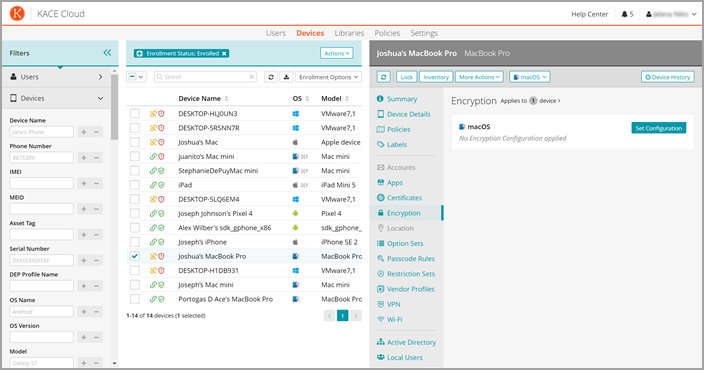
New FileVault configurations can be created in the library, then applied to devices. FileVault configurations can also be applied to one or more devices using a policy. A device's FileVault configuration cannot be changed once it has been applied to the device, enabled, and the disk encrypted. Certificates will be required for FileVault configurations with an institutional recovery key or configurations that report and decrypt the personal recovery key to KACE Cloud.
If you have previously applied FileVault to any of your macOS devices, or if device users have enabled FileVault themselves, KACE Cloud FileVault configurations can not be installed.
Importing certificates to KACE Cloud
Importing certificates to be used as public key chains means exporting the public key chain created as described in the Apple documentation above. To import these certificates, they first must be exported into a compatible format using the Keychain Access tool.
Exporting public certificates from Keychain Access
See instructions on how to export items from key chain: https://support.apple.com/en-gb/guide/keychain-access/kyca35961/mac
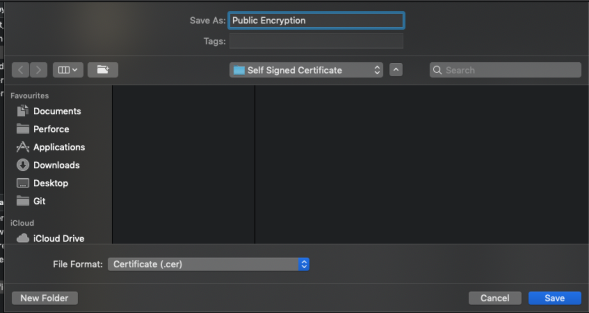
To export a public certificate—like the public FileVault recovery key or the certificate used for encryption—a .cer file export should be created. To do this, export the certificate from Keychain Access and select the File Format as Certificate (.cer), then upload the .cer file to the KACE Cloud Certificate Library.
Exporting private certificates from Keychain Access
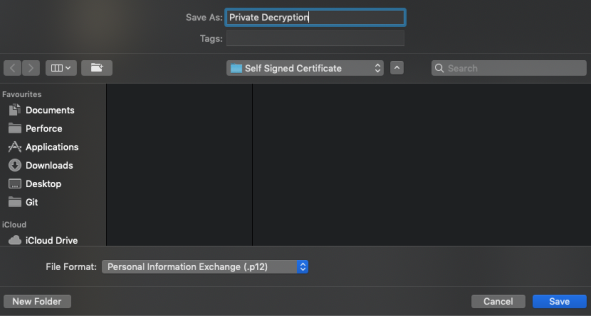
Master key chain exports, or the export of a decryption certificate, should be in the .p12 or .pfx file format and should be protected with a password. To do this, export the certificate from Keychain Access and select the File Format as Personal Information Exchange (.p12).
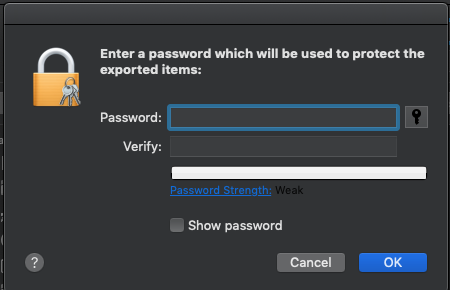
You will then be asked to secure the export with a password, which will be required when uploading the private certificate exports to the KACE Cloud Certificate Library.